
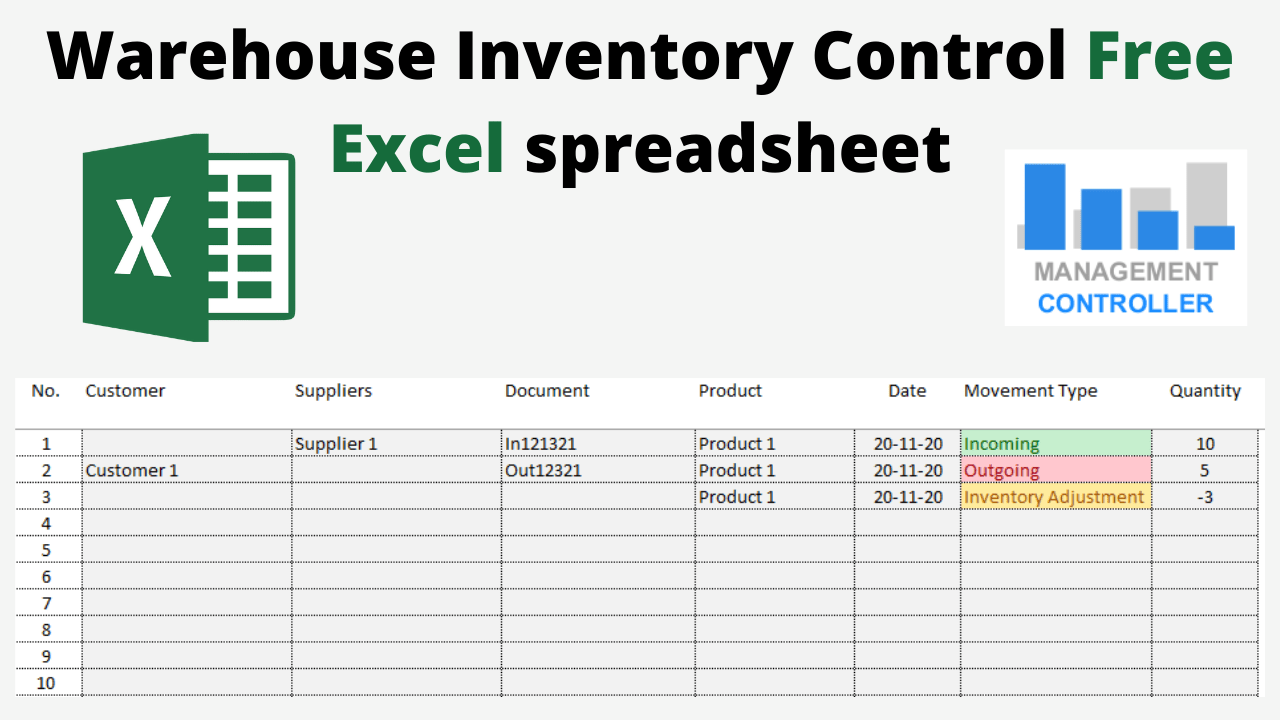
A Simple and Practical Tool to Control Warehouse Inventory in Excel
Managing warehouse inventory with Excel is not the most efficient method — but sometimes, for small businesses or specific situations, a simple Excel-based stock control system is all you need.
The Warehouse Inventory Control Free Excel Template is designed to help you record product movements (in, out, and adjustments) and calculate the final inventory balance automatically.
It’s an ideal solution for companies that don’t yet use an ERP or inventory management software but still need basic visibility and control over stock levels.
Why You Should Be Cautious Managing Inventory with Excel
Although Excel can be a great tool for small-scale inventory tracking, it has limitations:
-
📦 It’s not built to handle high transaction volumes
-
🔄 It doesn’t automatically integrate with sales, purchasing, or accounting processes
-
💰 It doesn’t easily support inventory valuation methods like FIFO, LIFO, or Average Cost
In larger organizations, warehouse movements are linked to:
-
Sales orders, confirming complete or partial deliveries
-
Supplier deliveries, automating purchase invoicing
-
Stock valuation for accurate accounting
However, if your needs are simple — such as maintaining a small warehouse, managing few product references, or tracking movements manually — this free Excel template will work perfectly.
How the Warehouse Inventory Control Excel Template Works
The system is based on a simple logic:
Final Inventory = Initial Inventory + Incoming Movements – Outgoing Movements ± Adjustments
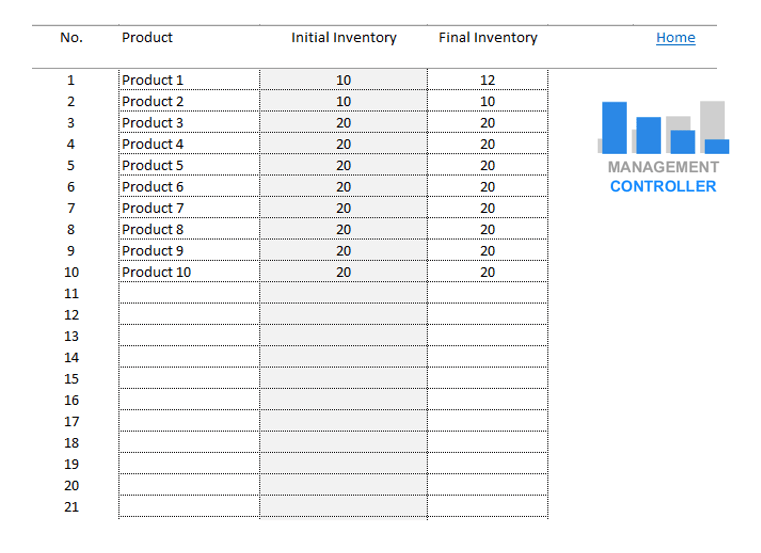
🏁 1. Initial Inventory Balance
Everything starts with an opening balance.
-
If your company is new, your starting inventory will be zero.
-
If your company is already operating, you’ll need to count existing stock on a day without activity and use it as your beginning balance.
From there, every incoming, outgoing, or adjustment movement will update your inventory dynamically.
🚚 2. Types of Inventory Movements
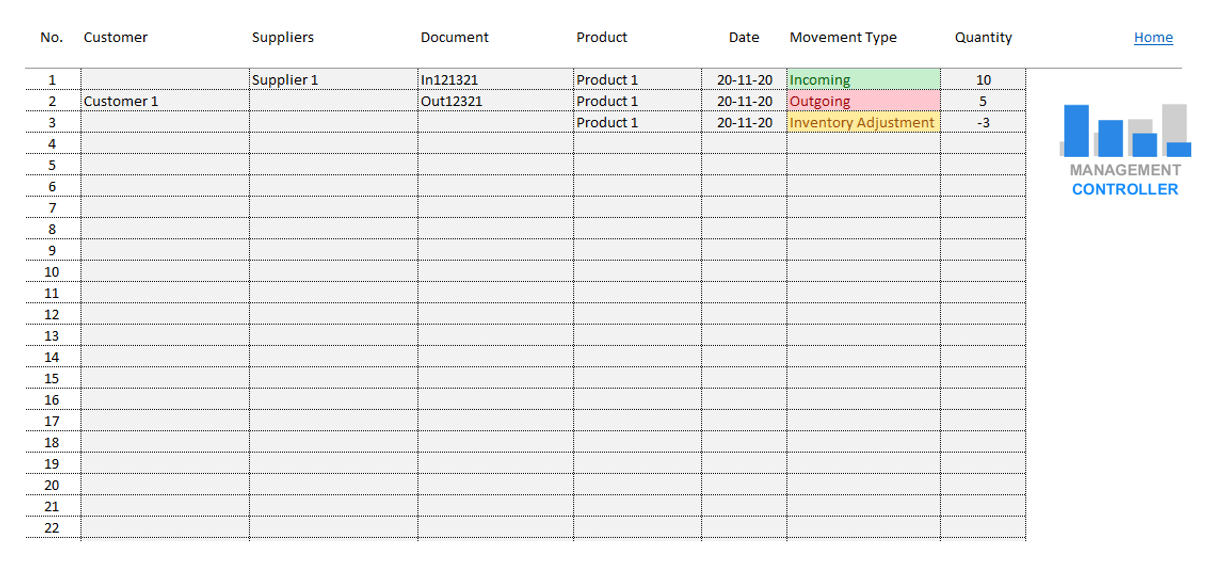
There are three types of warehouse movements:
➕ Incoming Movements
From suppliers, other warehouses, internal transfers, or customer returns.
➖ Outgoing Movements
To customers, other warehouses, internal locations, or supplier returns.
⚙️ Adjustments
When physical stock doesn’t match the system’s records — adjustments can be positive (surplus) or negative (shortage).
🧾 3. Template Structure
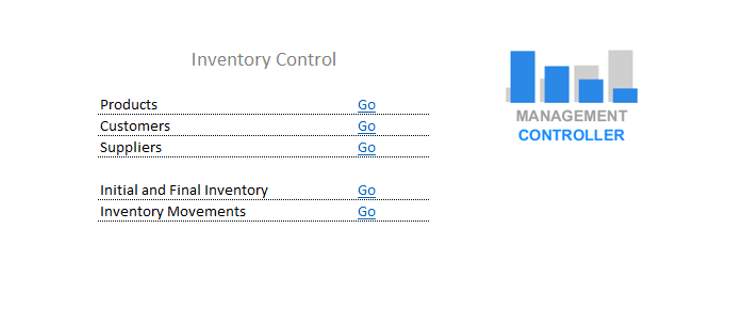
The file Inventory Control M1.xlsx includes:
-
A table to define customers
-
A table to define suppliers
-
A product master list
-
A table to record the initial stock
-
A main inventory movements table to record all entries, exits, and adjustments
The final inventory is calculated automatically for each product, allowing you to track changes in real time.
Practical Example
Suppose you start the month with 100 units of a product.
You receive 50 units from a supplier (incoming), sell 30 units (outgoing), and discover 2 units damaged (negative adjustment).
Your final inventory will be:
100 + 50 – 30 – 2 = 118 units
Simple, fast, and accurate.
Benefits of the Warehouse Inventory Control Excel Template
✅ 100% Free, editable, and easy to use
✅ Tracks incoming, outgoing, and adjustment movements
✅ Automatically calculates final stock
✅ Includes customers, suppliers, and product data
✅ Ideal for small warehouses and simple operations
✅ Helps you maintain visibility without complex software
This Excel file is perfect for companies that need a manual but reliable system to start managing inventory efficiently.
Download the Warehouse Inventory Control Free Excel Template
Take control of your warehouse with this practical tool.
Download the Free Excel Template for Warehouse Inventory Control, and start recording your stock movements today.
👉 Get it now

More information about Controlling Tools
- Free Excel Digital Marketing Dashboard – Track KPIs and Performance Metrics Easily
- Financial Plan M3 Free Excel Template – Build a Solid Financial Model for Your Business Project
- Hotels Excel Cost Calculation – Budgeting, Forecasting, and Profitability Analysis
- Free Excel Template Break-Even Point Calculation – Profitability Simulation Tool
- Excel Manufacturing Standard Costs and Margins M10 – Forecast Costing and Profitability Planning
- Customer Invoices Free Excel Template – Create, Print & Manage Up to 500 Invoices Automatically
- Budget Control Excel YTD & FYForecast M15 – Analytical Financial Management System
- Business Plan Budget 5 Years M1 Free Excel Template – Long-Term Financial Planning Made Simple
- Training Management Free Excel Spreadsheet – Plan, Track, and Analyze Employee Training
- Pickleball and Padel Sport Club Profit Analysis Free Excel Template – Evaluate the Profitability of Your Sports Club Investment
- New Investments Requests Form Free Excel Template – Manage and Approve Your Company’s Investment Proposals
- Control and Justification of Commercial Expenses – Free Excel Template
- Action Planning Free Excel Template – From Strategy to Execution
- Actual vs Budget Excel Templates – Financial Control and Variance Analysis Pack
- Direct Costing Free Excel Template – Variable Costing and Profitability Analysis
- Excel Budget BOM Manufacturing Costs and Margins M15 – Forecast and Control of Industrial Profitability
- Employees Best Practices Improvements Requests M2 Free Excel Template – Continuous Improvement System
- Planning and Control Projects Costs and Profitability Excel FREE Template M15
- Decisions Sales Price Lists Calculation Free Excel Template – Optimize Pricing, Margins, and Profitability
- Wedding Budget Control M1 Free Excel Template – Plan and Track Your Wedding Expenses Easily
- Retail Commerce Profit Analysis Free Excel Template – Calculate Your Store’s Profitability Easily
- Restaurant Sales Forecast Free Excel Template – Plan Menus, Costs, and Profit Margins Easily
ERP ODOO Functional Consultant and Controller (Management Control & Controlling)
